Find a job that fits you. Skip the busywork.
Pip Job Search finds jobs that fit you, scores every one, and writes a tailored CV and cover letter for the ones you pick. Pip, your guide, walks you through all of it.
Apple silicon (M1 or newer) · macOS 13 or later · 231 MB · version 1.0.5
Or download for WindowsOn Windows? It's also in the Microsoft StoreFree. Runs on your own Claude or ChatGPT plan.
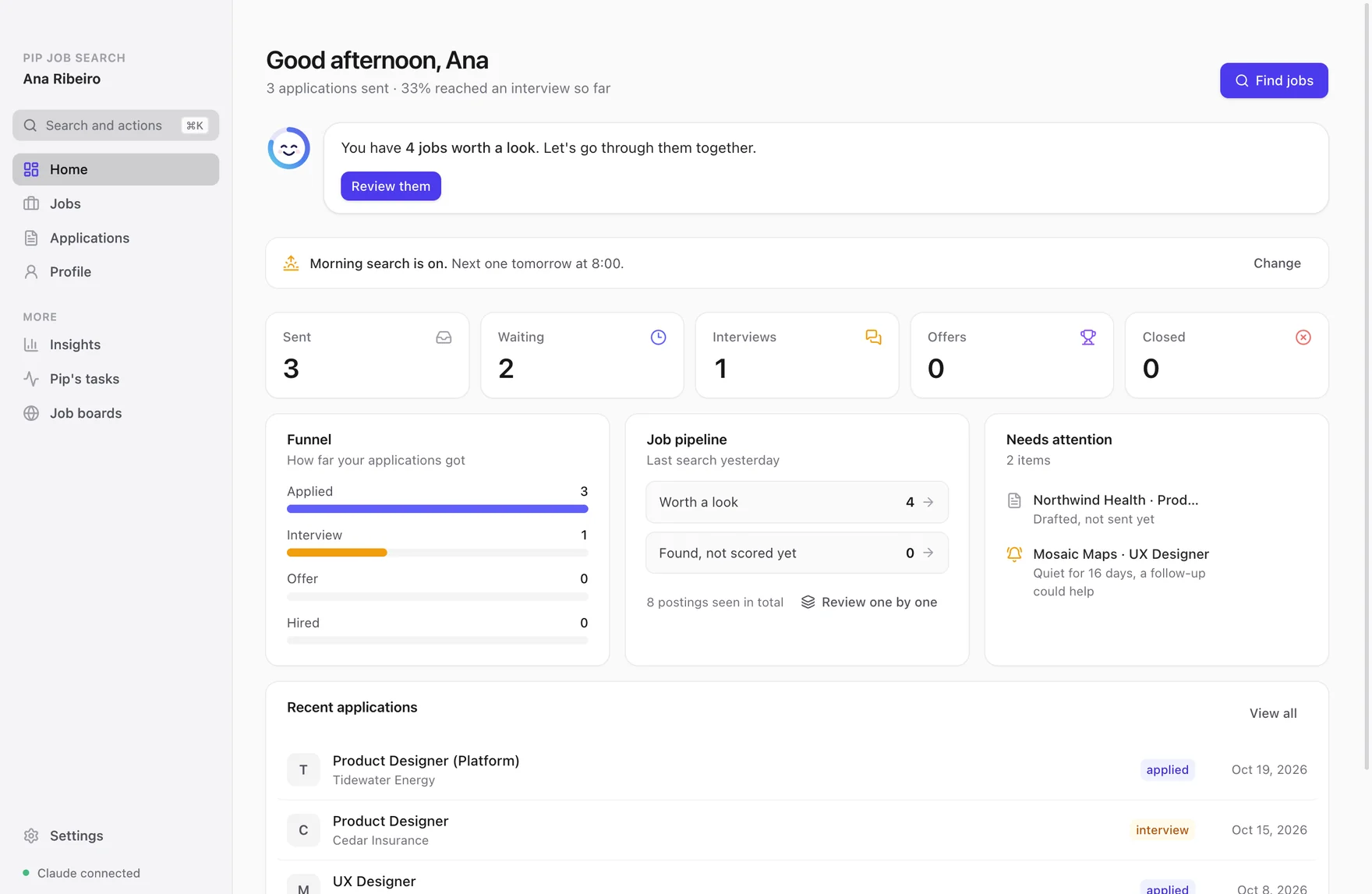
Five minutes to set up. Then it runs by itself.
Tell Pip about you
Drop in your CV and answer a few questions, one at a time: what you want, where, and what's a no-go. Nothing to configure.
Pip searches every morning
It reads the job boards, scores every posting against your profile, and tells you which ones are worth a look.
Pick, and Pip writes
Keep the jobs you like and Pip drafts a CV and cover letter for each. You check them and send them yourself.
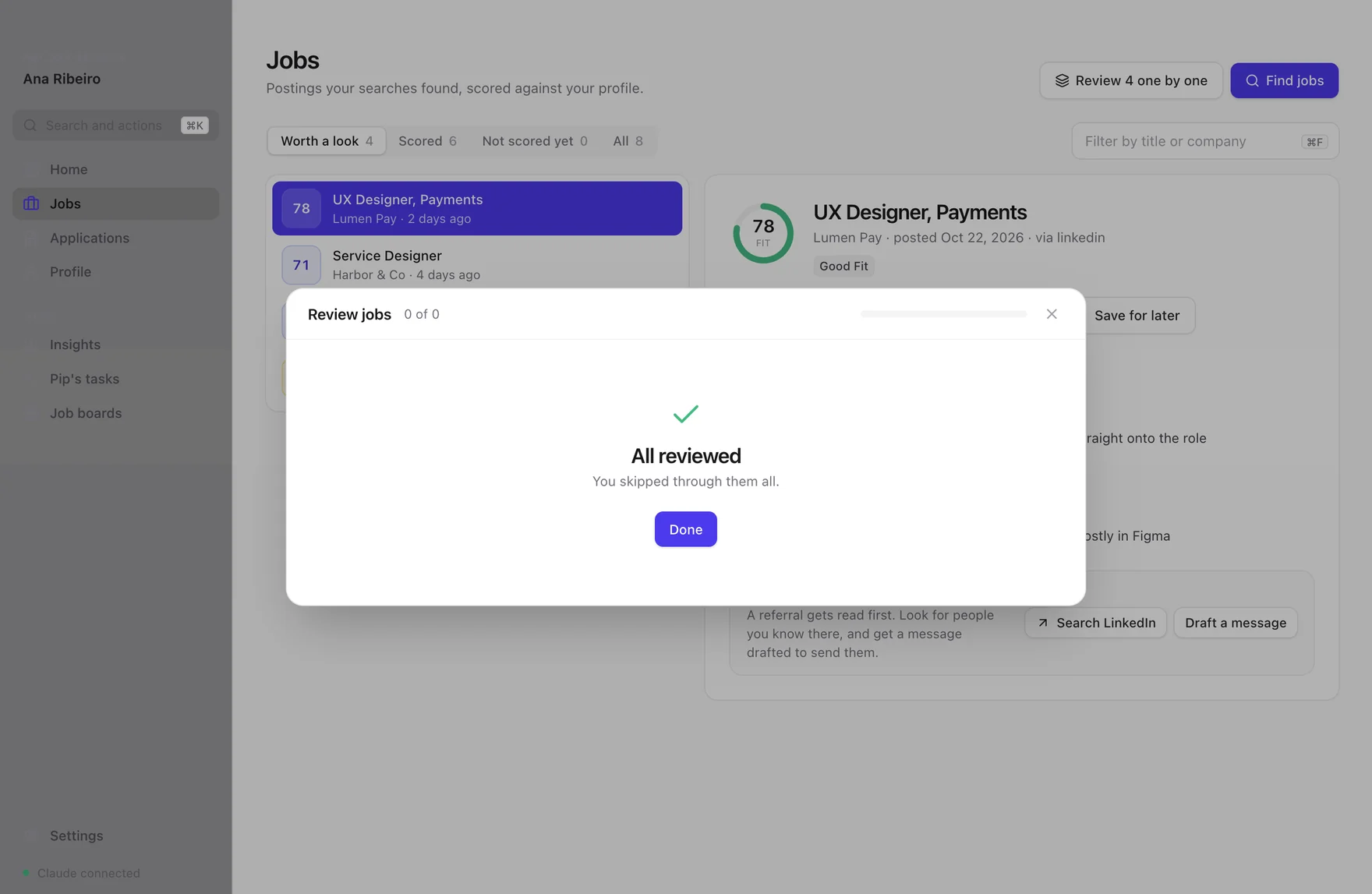
One job at a time.
Every job gets a fit score out of 100, with plain reasons: why it fits and what's missing. Go through them with a key each. Save it, skip it, or have Pip write the application.
Say why you passed on one and the next search leaves out jobs like it.
Everything a job search needs.
Applications you can trust
Each CV is tailored to the job, then checked: every number and tool in it has to come from your own CV or profile, and anything that doesn't is flagged for you.
Follow-ups
When an employer goes quiet, Pip drafts a short, polite follow-up for you to send.
Answers for every form
Visa, notice period, salary: answer once and copy them into any form. Paste a form's questions and Pip drafts the rest.
Interview practice
When you get an interview, Pip turns the job into practice cards and runs a mock interview with a score after every answer.
Replies from your inbox
Connect Gmail and Pip spots interview invites and rejections, then asks before it updates anything.
Any job, any field
Nurses, designers, accountants, engineers. Search LinkedIn and other boards, or add any company's careers page.
Private by design
Your CV, applications and notes stay in a folder on your computer. The AI works under your own account, and nothing is sent without you.
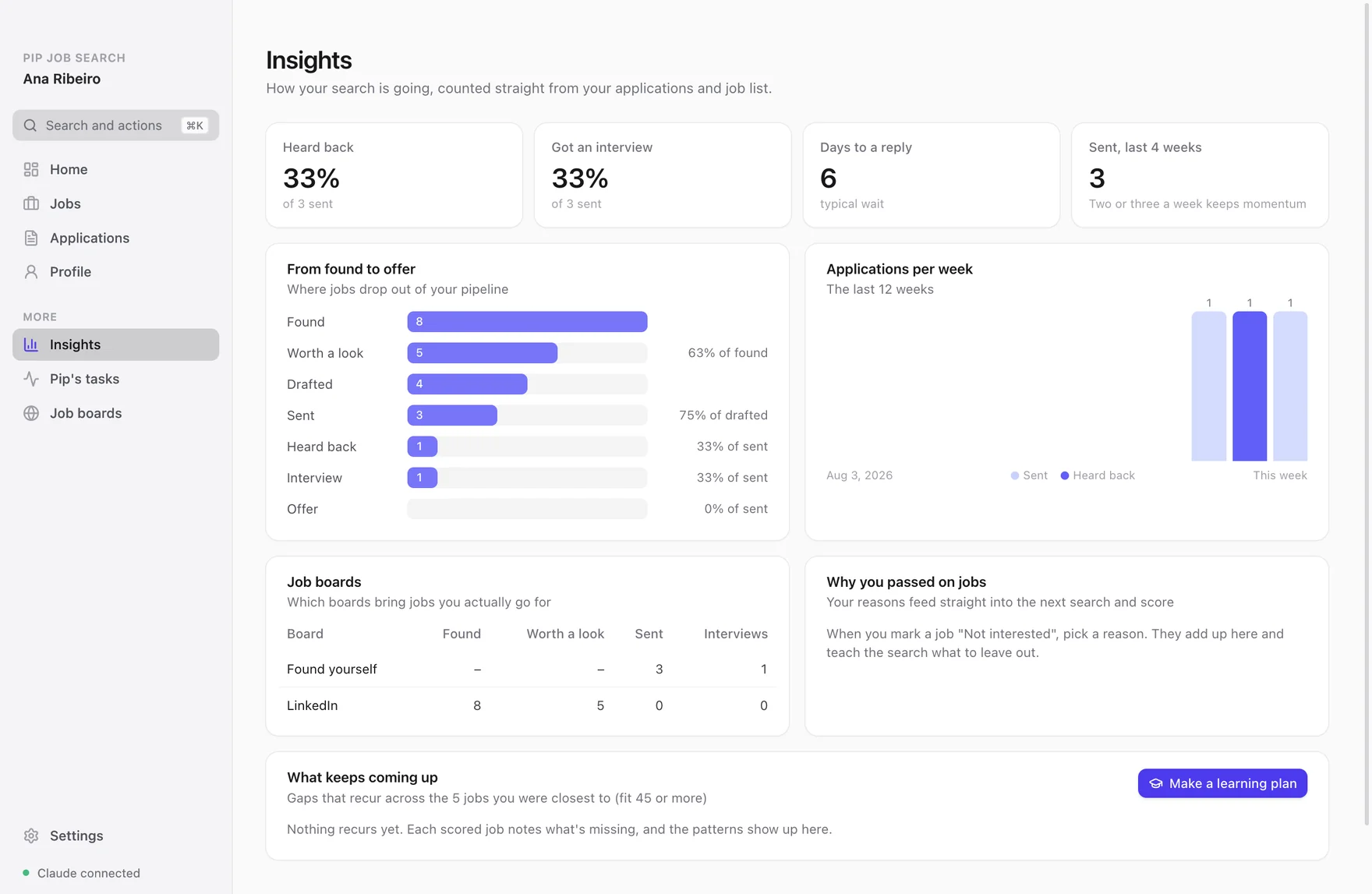
See what's working.
How many replies you get, how long they take, which job boards lead to interviews, and the skills that keep coming up in the jobs you were close to, with a learning plan if you want one.
What you need
A computer
A Mac with Apple silicon (M1 or newer) on macOS 13 or later, or a Windows 10 or 11 PC (64-bit).
An AI plan
Claude Pro or Max, or ChatGPT Plus or Pro, about $20 a month. The app is free: no API keys and no charge per search.
Installing
Pip Job Search isn't in the App Store or Microsoft Store yet, so the first time you open it your computer asks you to confirm. That's a one-time step.
Mac
- Open the downloaded file and drag Pip Job Search into Applications.
- Open Pip Job Search. If macOS says it can't check it, click Done.
- Open System Settings, then Privacy & Security. Scroll down and click Open Anyway next to Pip Job Search, then confirm.
Windows
Easiest: get it from the Microsoft Store. It installs without any warning and updates itself. Or use the setup file:
- Open the downloaded setup file.
- If Windows says it protected your PC, click More info, then Run anyway.
- It installs by itself in a few seconds and opens. No administrator password needed.
Then Pip takes over: your name, your AI plan, your CV, and your first search.
Questions
Does it apply to jobs for me?+
Where does my information go?+
Why do I need a Claude or ChatGPT plan?+
Which job boards does it search?+
Is it only for tech jobs?+
Does it work on an Intel Mac?+
How do I update it?+
Ready when you are.
Apple silicon (M1 or newer) · macOS 13 or later · 231 MB · version 1.0.5
Or download for WindowsOn Windows? It's also in the Microsoft Store